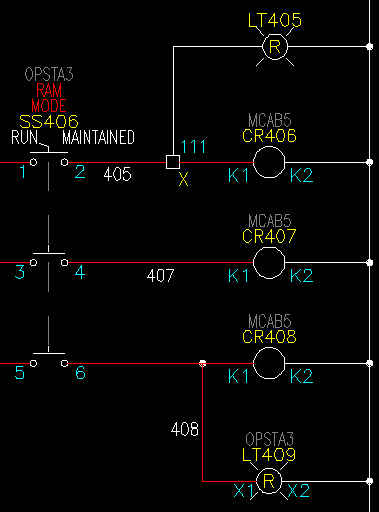
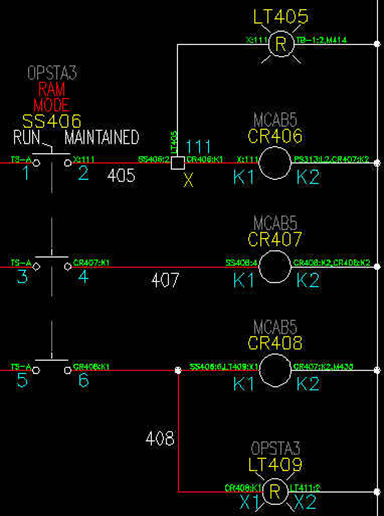
I have used this twice in the past. It's not quite what the customer wanted but its close. I think with a little tweaking it could be perfect.
AutoCAD Electrical is not set up to show From/To tags on the schematic. All the info is there but only available in reports. But it is not set up to actually INSERT pieces of "smart" from/to text right on each connection of the schematics.
Here is a small AutoLisp utility created by Nate Holt. If you want to give it a try, download the file, APPLOAD it, and type OTHER_END [Enter] at your command line. The active drawing should update.
And here is what it does:
1. Insert the annotation at the wire connection points, justify and rotate to follow the connected wire.
2. Annotation to follow the same as a from/to report taking into account any special "wire sequencing" overrides or source/destination arrow connections.
3. Text can be manually repositioned.
4. Text will be "smart" in that it can be updated if connections changed - even if the text is moved.
5. Text put on its own layer so it can be turned on and off.
Here are the before and after screen grabs. The tag-ID and pin number for the opposite end of each wires connection point. Note that CR408 shows multiple connections on both sides.